Author name: kamal

Tax & VAT

How to Handle VAT on Cross-Border Sales in Europe

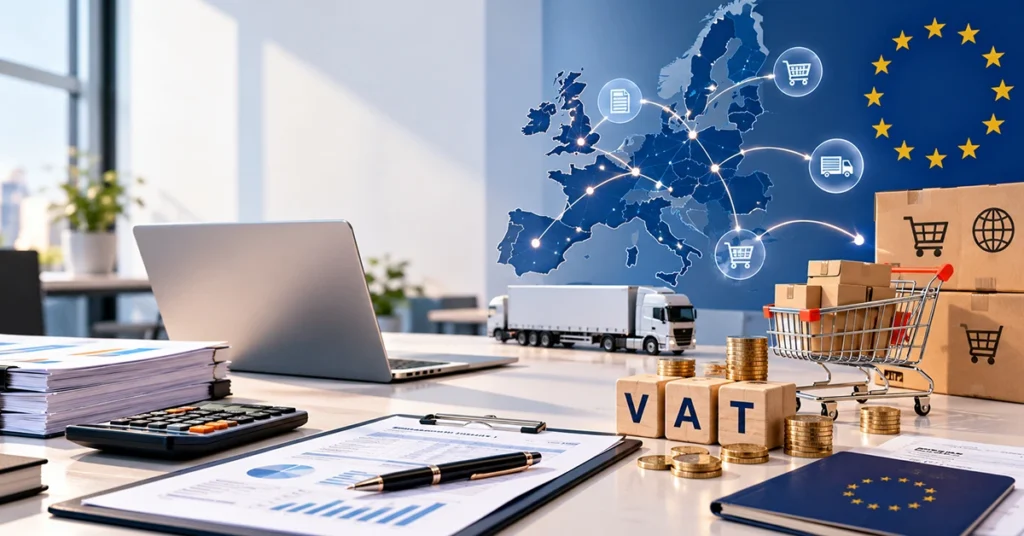
Selling across European borders can help a business reach customers in multiple countries, but VAT can become difficult very quickly. A sale from Germany to France, Spain to Italy, or the USA to an EU customer may have different VAT requirements depending on the customer, goods, shipping route, and value of the transaction. Getting these details wrong can lead to incorrect charges, reporting problems, and unexpected tax costs. Introduction VAT on cross-border sales in Europe is based on where a transaction is taxable, who the customer is, where the goods are located, and how they reach the buyer. The EU has introduced systems such as the One Stop Shop (OSS) and Import One Stop Shop (IOSS) to simplify VAT reporting for many e-commerce transactions. However, these schemes do not cover every situation, and local VAT registration can still be required. For businesses selling to European customers, understanding these rules before expanding into new markets can prevent costly mistakes. This guide explains how to manage VAT on cross-border sales in Europe and what businesses should consider when selling across EU borders. Key Takeaways Here is a quick look at the main things you will learn in this guide: How VAT treatment changes for B2B and B2C sales. When the EUR 10,000 threshold applies to EU distance sales. How OSS can simplify VAT reporting. When IOSS can be used for imported goods. How to manage VAT records, invoices, and future EU requirements. Table of Contents Understand Where VAT Is Due Know the Difference Between B2B and B2C Sales Understand the EUR 10,000 Threshold Use the One Stop Shop Understand Import One Stop Shop Check VAT Registration Requirements Charge the Correct VAT Rate Manage Invoices and Records Prepare for Future VAT Changes Create a Practical VAT Process Conclusion FAQs Understand Where VAT Is Due The first step is identifying where VAT becomes payable. For intra-EU distance sales of goods to private consumers, VAT is generally due in the Member State where the transportation of the goods ends. This means a business shipping products from France to a consumer in Germany may need to apply German VAT once the relevant rules apply. The location of inventory also matters. A business may sell through an online store in one country while storing products in warehouses in several other countries. Moving stock between EU Member States can create VAT obligations that are separate from the final customer sale. Before applying VAT, businesses should identify: Where the seller is established. Where the goods are located. Where the goods are shipped from. Where the customer is located. Whether the customer is a business or private consumer. Whether the goods enter the EU from outside the EU. These details help determine the correct VAT treatment. Services have their own place-of-supply rules, so a company selling digital services, consulting, software, or other services should not automatically apply the rules used for physical goods. Know the Difference Between B2B and B2C Sales The customer’s status can significantly affect VAT treatment. B2C means business-to-consumer sales, while B2B means business-to-business transactions. For eligible B2C distance sales of goods within the EU, VAT generally follows the destination country once the applicable rules take effect. B2B transactions can follow different rules. In some situations, a VAT-registered business customer may account for VAT under the reverse-charge mechanism. The exact treatment depends on the nature and location of the supply. Businesses should collect customer information at checkout and keep evidence supporting the customer’s status. For B2B sales, this can include checking the customer’s VAT identification number. Each EU country issues its own VAT identification number. A company trading in several countries may therefore need multiple registrations depending on its activities. A common error is treating every European customer in the same way. Accounting and e-commerce systems should distinguish between B2B and B2C transactions before VAT is calculated. Understand the EUR 10000 Threshold The EU has a EUR 10,000 threshold for certain cross-border B2C supplies. It covers intra-EU distance sales of goods and certain telecommunications, broadcasting, and electronically supplied services. The threshold is calculated across the relevant EU countries rather than giving a business a separate EUR 10,000 allowance for each country. The rules also require the supplier to meet specific establishment conditions. If the qualifying cross-border sales remain below the threshold, certain supplies can remain subject to VAT in the seller’s Member State. A business can also choose to apply the destination-country rules instead, subject to the applicable conditions. Once the threshold is exceeded, the general destination rules apply. Businesses should track relevant sales throughout the year rather than waiting until the end of the tax period. An online store that grows quickly can cross the threshold during the year, changing its VAT treatment. Use the One Stop Shop The One Stop Shop, commonly known as OSS, can make VAT reporting easier for businesses that make qualifying cross-border B2C sales. Instead of registering separately in every EU destination country for eligible transactions, a business can use the Union OSS scheme to declare and pay VAT through one Member State of identification. The VAT is then allocated to the countries where the consumers are located. For example, imagine a company based in Spain selling products to consumers in France, Belgium, Italy, and Austria. If its transactions qualify for OSS, the company can report those eligible sales through the OSS system rather than preparing separate VAT returns in every destination country for those sales. OSS does not remove every VAT obligation. Local registration may still be needed for activities outside the scheme, such as certain domestic transactions or stock held in another Member State. Businesses should therefore review their supply chain before assuming that OSS covers all European VAT requirements. Understand Import One Stop Shop Businesses based outside the EU need to consider IOSS when selling imported goods directly to European consumers. The Import One Stop Shop applies to eligible distance sales of imported goods in consignments with an intrinsic value of no more than EUR 150. The […]

Cyber Security

How to Assess the Cybersecurity of Your Cloud Software Providers

Cloud software now runs accounting, payroll, document storage, customer management, and communication for businesses of every size. That convenience moves your data onto someone else’s systems, but it does not move your responsibility for it. Regulators in the US, EU, and UK expect organisations to oversee their vendors, and clients expect the same. A provider’s breach can trigger notification duties, fines, and lost trust even if the attack never touched your own network. This guide breaks down the exact steps to assess your cloud providers so you can protect your data and scale your success without the stress. Key Takeaways Here is a quick look at the main things you will learn in this guide: Why you stay accountable for data held by cloud vendors, and which US, EU, and UK expectations apply How to sort vendors by risk so your effort goes where it matters most How to read SOC 2, ISO 27001, and other assurance reports beyond the headline Which security questions, contract terms, and red flags to look for before you sign How to keep monitoring vendors after onboarding Table of Contents Why Cloud Vendor Security Is Your Security Know the Regulatory Expectations Classify Vendors by Risk Review Independent Assurance Reports Ask the Right Security Questions Verify Claims, Do Not Just Trust Them Build Security Into the Contract Monitor Vendors Continuously Red Flags to Watch For Your Vendor Assessment Checklist Conclusion FAQs Why Cloud Vendor Security Is Your Security Cloud security works on a shared responsibility model. The provider secures its infrastructure and application, while you control who accesses your account, how it is configured, and what data you put in it. If a vendor is compromised, though, it is usually your clients, employees, and customers whose information is exposed, and it is you who must explain what happened. That is why regulators and auditors focus on vendor oversight. Being the data owner or controller means you remain accountable for the choices you make about who processes your data. Weak vendor checks are also one of the easiest gaps for an attacker to exploit, because a single provider can give access to hundreds of customers at once. A structured assessment process reduces that risk and gives you evidence that you exercised reasonable care. Know the Regulatory Expectations Requirements depend on where you operate and what data you hold. Confirm the current position with the relevant authority or a qualified adviser before relying on any point below. United States Tax and accounting professionals are treated as financial institutions under the FTC Safeguards Rule, which requires them to select capable service providers, require safeguards by contract, and periodically assess them. IRS guidance, such as Publication 4557 on safeguarding taxpayer data and the written information security plan template in Publication 5708, points in the same direction. Public companies must describe how they manage material cyber risks, including risks from third-party service providers, in their SEC filings. State law adds another layer. All 50 states have data breach notification laws, and some go further. California’s privacy law requires specific contract terms with service providers, Massachusetts requires reasonable steps to select and retain capable service providers, and New York’s financial services cybersecurity regulation requires a third-party service provider security policy for covered entities. Sector rules such as HIPAA business associate agreements and PCI DSS can also apply. European Union Under the GDPR, controllers must use processors that provide sufficient guarantees (Article 28), apply appropriate security (Article 32), and notify the supervisory authority of breaches within 72 hours of becoming aware (Article 33). Processors must tell you about a breach without undue delay. Fines can reach EUR 10 million or 2% of worldwide turnover for security and processor failures, and EUR 20 million or 4% for the most serious violations, such as unlawful data transfers. Two more EU rules matter for many organisations. The NIS2 Directive requires in-scope entities to manage supply chain security, though national implementation varies. The Digital Operational Resilience Act (DORA), which has applied since January 2025, sets detailed ICT third-party risk and contract requirements for financial entities. If your vendor is based in the US, check the transfer mechanism. The EU-US Data Privacy Framework is currently valid, but an appeal is pending at the EU Court of Justice, so confirm that your vendor also offers Standard Contractual Clauses as a fallback. United Kingdom UK GDPR and the Data Protection Act 2018 mirror the EU’s supplier and security duties, with fines of up to GBP 8.7 million or 2% of turnover for security failures, and GBP 17.5 million or 4% for the most serious breaches. The National Cyber Security Centre publishes 14 Cloud Security Principles that many organisations use as an assessment framework, and Cyber Essentials certification is a useful baseline signal. Software that connects to HMRC’s systems must also meet HMRC’s requirements, such as fraud prevention headers. Classify Vendors by Risk You cannot review every vendor in depth, so tier them by the damage a failure would cause. Consider five factors: the sensitivity of the data, the level of access or integration, how critical the service is to daily operations, your regulatory exposure, and how hard the vendor would be to replace. Then apply proportionate effort: Tier 1, critical: Vendors that hold client, payroll, tax, financial, or health data, or whose outage would stop core operations. Examples include accounting, payroll, tax, and document management platforms. These get full due diligence and annual reviews. Tier 2, moderate: Vendors that hold limited business data or connect to your systems in a restricted way. These get a shorter questionnaire and a review of their assurance report. Tier 3, low: Vendors with no sensitive data and easy replacement, such as a scheduling app. These get a basic check of security settings and terms. Keep a central register of all vendors with their tier, data types, owners, and renewal dates. It is the foundation for every later step. Review Independent Assurance Reports Independent reports show what a vendor has actually been tested against. […]

Audit & Assurance

Financial Statement Audit Checklist: Documents Businesses Need to Prepare

Hook: Your financial statements may look complete, yet an audit can still slow down when a bank reconciliation lacks support, a major customer contract sits in an old email, or an unusual journal entry has no explanation. Good audit preparation starts before fieldwork with organized records that clearly support the numbers in your financial statements.    Introduction A business can finish its financial statements and still face audit delays. A missing bank reconciliation, unsupported journal entry, incomplete contract file, or weak inventory record can force the audit team to request more evidence. A smooth audit requires more than a clean set of accounts. Management needs to connect financial statement balances with reliable supporting records, explanations, contracts, calculations, and control evidence. This financial statement audit checklist explains the documents businesses should prepare before audit fieldwork starts. Key Takeaways Prepare the trial balance, general ledger, journal entries, and accounting policies first. Gather evidence for cash, revenue, expenses, assets, liabilities, equity, and taxes. Support estimates, leases, debt, related parties, legal matters, and major contracts. Organize internal control evidence and resolve prior audit issues. Reconcile major accounts and clear outstanding items before submitting the audit file. Table of Contents Start With the Core Accounting Records Prepare Bank, Cash, and Investment Records Gather Revenue and Accounts Receivable Evidence Organize Purchases, Expenses, and Accounts Payable Prepare Inventory and Cost Records Build the Fixed Asset and Lease File Gather Debt, Equity, and Financing Documents Support Payroll, Taxes, and Government Filings Document Estimates and Significant Accounting Judgments Prepare Contracts, Related Parties, and Legal Records Organize Internal Controls and Audit Evidence Complete the Final Pre-Audit Review FAQs Start With the Core Accounting Records The audit team starts with the accounting records that support the financial statements. Management can reduce follow-up questions by checking these records before fieldwork. Final Trial Balance Prepare the final trial balance for the reporting period. Make sure it agrees with the amounts that appear in the financial statements. General Ledger Provide the complete general ledger with transaction-level details. Review unusual balances, large movements, and inactive accounts before submission. Chart of Accounts Include the current chart of accounts and explain any major changes during the year. This helps auditors trace account classifications. Draft Financial Statements Prepare the balance sheet, income statement, cash flow statement, statement of changes in equity, and relevant notes under the applicable reporting framework. Journal Entry Reports Provide journal entry listings with dates, accounts, amounts, descriptions, and preparer information. Flag significant or unusual entries for quick review. Accounting Policies Provide the accounting policies that management applies to revenue, inventory, depreciation, leases, financial instruments, provisions, and other significant areas. Prepare Bank, Cash, and Investment Records Cash balances require clear evidence because auditors can compare ledger balances with external records. Complete all reconciliations before the audit begins. Bank Statements: Gather statements for every operating, savings, payroll, and other business account. Bank Reconciliations: Match ledger balances with bank balances and explain all reconciling items. Outstanding Items: Provide details for outstanding checks, deposits in transit, transfers, and other unreconciled amounts. Credit Card Statements: Include business credit card statements and supporting expense records. Investment Statements: Gather broker statements, investment schedules, purchase records, and year-end valuations. Bank Details: Prepare bank account information and confirmation details required for audit procedures. Gather Revenue and Accounts Receivable Evidence Revenue testing connects recorded sales with customers, contracts, invoices, delivery records, and cash collections. Keep the complete evidence chain available for significant revenue streams. Sales Reports Provide sales reports that reconcile with revenue recorded in the general ledger. Separate major revenue categories when the business uses different revenue models. Customer Contracts Include significant customer agreements, amendments, pricing terms, service arrangements, and renewal clauses. Sales Invoices Organize invoices for major customers and unusual transactions. Make sure invoice details agree with the accounting records. Delivery Evidence Provide shipping records, delivery confirmations, service completion records, or other evidence that supports the underlying sale. Accounts Receivable Aging Prepare an aging report that shows current balances, overdue amounts, disputed accounts, and long outstanding receivables. Subsequent Customer Payments Provide post-year-end cash receipts that help auditors assess outstanding receivables and collection patterns. Organize Purchases, Expenses, and Accounts Payable Expense and payable records show how the business incurred and recorded its costs. Keep procurement documents connected to the final accounting entry. Vendor Invoices: Collect invoices for major suppliers and significant expenses. Match invoice amounts with recorded liabilities and expenses. Purchase Orders: Provide purchase orders for transactions that use a formal procurement process. Include approval information where relevant. Receiving Records: Keep goods received notes, service confirmations, and other records that prove the business received the purchased item or service. AP Aging: Prepare an accounts payable aging report and investigate old, unusual, or disputed balances. Vendor Statements: Compare supplier statements with the accounts payable ledger. Investigate differences before the audit team requests explanations. Accrued Expenses: Prepare schedules for unpaid expenses that management recognized at year-end. Include calculations and supporting documents for significant accruals. Prepare Inventory and Cost Records Inventory audits require records that connect physical quantities with accounting values. Businesses with multiple locations should organize records by site or inventory category. Inventory Listing Provide the year-end inventory listing with quantities, descriptions, locations, and carrying values. Physical Count Records Include count sheets, count instructions, count results, and explanations for material differences between physical quantities and accounting records. Inventory Costing Provide the calculations that support inventory costs, including purchase costs, production costs, overhead allocations, and other relevant components. Obsolescence Analysis Document slow-moving, damaged, expired, or obsolete inventory and explain the basis for any write-downs. Goods Received Records Keep receiving records that support purchases recorded close to year-end. These records help management identify cutoff issues. Shipping Records Provide shipping documents for goods dispatched close to year-end. Review these records against the company’s revenue and inventory cutoff procedures. Build the Fixed Asset and Lease File Fixed asset records support additions, disposals, depreciation, and carrying values. Lease records also need complete agreements and accounting calculations under the applicable reporting framework. Fixed Asset Register Maintain a current register showing […]

CFO & Financial Advisory

How to Create Financial Projections for a Small Business

Hook Sales may look strong on paper, but payroll, supplier invoices, taxes, loan payments, and late customer collections can quickly reduce available cash. Without a clear projection, a small business may discover a funding gap only after it needs the money. Introduction Financial projections connect expected revenue, expenses, profit, cash flow, assets, liabilities, and funding needs into one forward-looking plan. They help owners decide when to hire, increase spending, borrow, preserve cash, or change pricing. A useful projection commonly includes a projected income statement, cash flow statement, and balance sheet. Businesses seeking funding may also need capital expenditure forecasts and detailed assumptions that support the numbers. This guide shows you how to build financial projections from realistic business assumptions, connect the numbers, test different outcomes, and use the forecast for better decisions. Key Takeaways Here is a quick look at the main things you will learn in this guide: Turn sales, pricing, customer, and cost assumptions into forecast numbers. Build projected income, cash flow, and balance sheet figures that connect. Identify potential break-even points and cash shortages. Test results under slower sales, higher costs, and stronger growth. Improve forecasts by comparing projections with actual results. Table of Contents Start With the Numbers You Already Have Build Revenue From Real Sales Drivers Forecast Fixed and Variable Costs Turn Your Assumptions Into a Projected Income Statement Build a Monthly Cash Flow Projection Add Assets, Liabilities and Equity to the Forecast Calculate Break-Even and Funding Needs Test Best-Case, Base-Case and Worst-Case Results Include Taxes, Debt and Major Business Purchases Check Whether Your Financial Projections Make Sense Choose the Right Forecasting Period and Format Update Your Projections as Actual Results Change Start With the Numbers You Already Have Begin with reliable historical figures instead of guessing future results. Your accounting records provide the baseline for realistic assumptions. Review Past Revenue Check monthly sales, customer volumes, pricing, and seasonal patterns. Review Operating Costs Separate recurring costs from costs that change with sales volume. Check Cash Movement Review customer collections, supplier payments, payroll, taxes, and debt payments. Identify Major Changes Record planned hiring, expansion, new contracts, price changes, or financing. Build Revenue From Real Sales Drivers Revenue forecasts work better when you build them from measurable business activity. Start with the drivers that directly create sales. Customers: Estimate new, repeat, and lost customers. Units: Forecast products or services sold. Pricing: Apply expected prices to forecast volumes. Contracts: Include signed and likely recurring contracts. Seasonality: Adjust sales for predictable demand changes. Collections: Estimate when customers will actually pay. Forecast Fixed and Variable Costs Cost forecasts should reflect how each expense behaves as the business grows. Separate stable costs from expenses that move with revenue. Rent: Include recurring property and facility costs. Payroll: Forecast existing staff, raises, and planned hires. Supplies: Link usage and purchasing to expected sales. Marketing: Include planned campaigns and recurring spend. Utilities: Estimate recurring costs and expected changes. Variable Costs: Connect commissions, shipping, materials, and similar costs to sales. Turn Your Assumptions Into a Projected Income Statement The income statement shows how expected revenue and expenses may affect future profit. Build it from operating assumptions rather than applying a single growth percentage to every line. Forecast Revenue Enter expected sales by product, service, customer group, or revenue stream. Forecast Cost of Sales Estimate direct costs required to deliver the projected sales. Forecast Operating Expenses Include payroll, rent, marketing, technology, insurance, and other operating costs. Calculate Expected Profit Subtract projected costs and expenses from revenue to estimate operating and net profit. Build a Monthly Cash Flow Projection Profit does not show when money enters or leaves the bank account. A monthly cash flow projection tracks the timing of those movements. Opening Cash: Start each month with the previous month’s closing balance. Customer Receipts: Record expected collection dates. Operating Payments: Schedule payroll, suppliers, rent, and other payments. Tax Payments: Include expected tax payment dates and amounts. Debt Payments: Add principal and interest payments. Closing Cash: Calculate available cash after all projected movements. Add Assets, Liabilities and Equity to the Forecast The balance sheet completes the financial picture by showing what the business owns, owes, and retains. Each projected balance should connect with the income statement and cash flow forecast. Forecast Working Capital Estimate receivables, inventory, and payables based on expected operating activity. Add Fixed Assets Include equipment, vehicles, technology, property, and other planned purchases. Record Depreciation Apply appropriate depreciation assumptions to forecast asset values and expenses. Forecast Debt Add new borrowing, principal repayments, interest, and closing loan balances. Project Equity Reflect retained earnings, owner contributions, and planned distributions. Check the Accounting Equation Confirm that projected assets equal projected liabilities plus equity. Calculate Break-Even and Funding Needs Break-even analysis shows the sales level needed to cover fixed and variable costs. Funding analysis then shows how much cash the business may need before it reaches that point. Fixed Costs: Identify costs that remain stable over the forecast period. Variable Costs: Calculate costs that change with sales volume. Contribution Margin: Measure the amount each sale contributes toward fixed costs. Break-Even Sales: Calculate the revenue level needed to cover total costs. Cash Shortfall: Identify months where projected cash falls below the required minimum. Funding Requirement: Estimate the amount and timing of external or internal funding. Test Best-Case, Base-Case, and Worst-Case Results A single forecast can hide the effect of changing business conditions. Scenario analysis shows how different assumptions affect revenue, profit, and cash. Base-Case Scenario Use the assumptions that currently have the strongest support. Best-Case Scenario Model stronger sales, improved margins, faster collections, or lower costs. Worst-Case Scenario Model weaker sales, higher expenses, delayed collections, or unexpected costs. Compare Key Results Review revenue, profit, cash balance, break-even timing, and funding needs across each scenario. Include Taxes, Debt, and Major Business Purchases These items can materially change cash requirements even when operating results remain stable. Include them in the forecast instead of treating them as separate calculations. Taxes: Estimate tax liabilities and expected payment dates. Loan Principal: Record scheduled principal […]

Accounting & Bookkeeping

How to Do Bookkeeping for a Small Business: A Step-by-Step Guide

Running a small business can make bookkeeping feel simple at first. A few invoices come in, expenses leave the bank account, and everything seems easy to track. Then transactions multiply, customers pay late, card purchases pile up, payroll runs, and tax deadlines arrive. If the records do not match the bank, even a profitable business can struggle to explain where its money went. Bookkeeping is more than entering income and expenses. You need a repeatable system for recording transactions, classifying them correctly, matching them to supporting documents, reconciling accounts, and reviewing financial reports. US businesses also need records that support federal tax reporting, while European businesses must account for country-specific tax and VAT requirements. This guide walks through the bookkeeping process from setting up the system to completing monthly and year-end checks. Key Takeaways Here is a quick look at the main things you will learn in this guide: How to build a bookkeeping system before recording transactions How to record sales, expenses, payments, loans, payroll, and owner transactions How to reconcile accounts and identify errors before they affect reports How to organize records for tax, reporting, and year-end work Table of Contents Set Up the Books Before Recording Transactions Choose the Right Bookkeeping Method Build a Practical Chart of Accounts Record Every Business Transaction Handle Sales, Invoices and Customer Payments Track Bills, Expenses and Supplier Payments Reconcile Bank and Credit Card Accounts Record Payroll, Loans and Owner Transactions Correctly Close the Books at the End of Each Month Review Financial Reports for Errors and Cash Problems Keep Tax and Supporting Records Organised Complete the Year-End Bookkeeping Checklist Know When DIY Bookkeeping Stops Working 1. Set Up the Books Before Recording Transactions Start by separating business finances from personal spending. Use a dedicated business bank account and identify every account that will feed into the books, including credit cards, payment processors, loan accounts, and savings accounts. This gives you a clean starting point and makes later reconciliation much easier. Next, decide where you will store invoices, receipts, statements, contracts, and other supporting records. Your system can be digital or paper-based, but it should make each transaction easy to trace from the original document to the accounting record. The IRS allows businesses to choose a recordkeeping system suited to their operations as long as it clearly shows income and expenses. 2. Choose the Right Bookkeeping Method Your bookkeeping setup should match how your business earns, spends, invoices, and holds money. The main choice is between cash and accrual accounting. Double-entry bookkeeping provides the underlying structure for recording the effect of each transaction across the accounts. Cash method: Record income when you receive payment and expenses when you pay them. Accrual method: Record income when earned and expenses when incurred, even if cash moves later. Customer invoices: Accrual accounting records unpaid invoices as receivables. Supplier bills: Accrual accounting records unpaid bills as payables. Inventory: Businesses that hold inventory may face additional accounting-method requirements. US tax rules: Check IRS requirements before choosing or changing the accounting method used for tax reporting. 3. Build a Practical Chart of Accounts Before entering large volumes of transactions, create categories that tell you what each amount represents. A small service business could start with a structure like this: Account Group Examples Revenue Service income Cost of Sales Direct project costs Expenses Rent, software, insurance Assets Bank, receivables, equipment Liabilities Payables, loans, taxes Equity Owner investment, drawings Payroll Wages, payroll taxes Tax VAT/sales tax payable Loans Principal, interest 4. Record Every Business Transaction Every transaction should leave a clear trail in your books. The basic workflow is: Transaction → source document → account/category → amount → date → tax treatment → supporting record Record transactions consistently rather than allowing them to accumulate until tax season. Sales: Record the income using the correct date and revenue account. Purchases: Match supplier transactions with the correct expense or asset account. Bank charges: Record fees separately so they do not disappear into unexplained differences. Credit card transactions: Record the purchase and later match the card payment. Refunds: Reverse or adjust the original transaction correctly. Transfers: Record transfers between your own accounts without treating them as income or expenses. Loans: Separate borrowed funds from ordinary business revenue. Owner contributions: Record money personally invested into the business as an equity transaction. Owner withdrawals: Keep personal withdrawals separate from business expenses. Asset purchases: Determine whether a significant purchase belongs in an asset account rather than ordinary operating expenses. What Evidence Should Support Each Transaction? Keep the document that allows another person to understand what happened, when it happened, and why it belongs in the business records. Invoices: Support sales and amounts owed by customers. Receipts: Support purchases and expense claims. Contracts: Explain larger purchases, recurring commitments, or customer arrangements. Bank statements: Confirm cash movements and account balances. Payment confirmations: Support online, card, or electronic payments. Expense documentation: Shows the business purpose and amount of a claimed cost. 5. Handle Sales, Invoices and Customer Payments Sales bookkeeping becomes easier when you treat invoicing and payment collection as one connected process rather than separate tasks. Invoice issued → receivable recorded → customer pays → payment matched → receivable cleared Record the Sale Correctly Use the correct customer, invoice date, amount, revenue category, and applicable tax treatment. Track Unpaid Invoices Review outstanding invoices regularly so your books show what customers still owe. Under accrual accounting, unpaid invoices remain accounts receivable until they are collected or otherwise adjusted. Match Customer Payments When money reaches the bank, match it to the correct invoice rather than recording it as new revenue. Handle Partial Payments and Refunds Apply partial payments against the original invoice and record refunds or credit adjustments against the appropriate transaction. 6. Track Bills, Expenses and Supplier Payments Supplier bookkeeping follows a similar trail: Bill/receipt → expense or asset classification → payable recorded → payment made → payable cleared Keep the distinction clear between an ordinary operating cost and an asset purchase. Recurring bills: Record regular costs consistently […]

ISO & Compliance

ISO Certification Process: From Gap Assessment to Final Audit

ISO certification can help organisations demonstrate that their management systems follow an internationally recognised framework for quality, information security, environmental management, occupational health and safety, or other areas. For businesses operating in European and US markets, certification may also form part of customer, supplier, tender, or contractual requirements. However, achieving certification involves more than preparing documents and booking an audit. Organisations need to understand the selected ISO standard, assess their current processes, address identified gaps, implement the management system, conduct internal audits, complete a management review, and prepare for the external certification audit. The certification process generally moves from preparation and gap assessment through implementation, internal verification, Stage 1 and Stage 2 audits, corrective actions, and the certification decision. The exact requirements and audit arrangements can vary according to the standard, organisation size, scope, industry, and certification scheme. Key Takeaways A gap assessment identifies differences between current practices and the requirements of the selected ISO standard. Certification preparation involves implementation, documented information, employee awareness, monitoring, internal auditing, and management review. Stage 1 focuses on readiness, scope, documentation, and planning for Stage 2. Stage 2 evaluates whether the management system is actually implemented and working in practice. Nonconformities may require corrective action and evidence before certification can be completed. Businesses targeting European and US customers should consider customer, contractual, industry, and market-specific expectations alongside ISO requirements. Certification is not the end of the process because certified organisations normally undergo continuing surveillance and later recertification. Table of Contents Understand the ISO Certification Process Select the Right ISO Standard Conduct a Gap Assessment Develop an ISO Implementation Plan Prepare Required Documentation Implement the Management System Train Employees and Build Awareness Conduct Internal Audits Complete the Management Review Select a Certification Body Prepare for the Stage 1 Audit Understand the Stage 2 Certification Audit Handle Nonconformities and Corrective Actions Complete the Certification Decision Prepare for Surveillance Audits ISO Certification Considerations for European and US Markets Common ISO Certification Mistakes to Avoid Practical ISO Certification Checklist Conclusion FAQs Understand the ISO Certification Process The ISO certification journey usually involves several connected stages. A simplified process looks like this: Gap assessment → Implementation → Internal audit → Management review → Stage 1 → Stage 2 → Corrective actions → Certification decision → Surveillance The exact process can differ depending on the ISO standard and certification scheme. ISO 9001, ISO 14001, ISO 45001, and ISO/IEC 27001, for example, address different management-system subjects, so the evidence and controls assessed will vary. The initial certification audit itself is generally conducted in two stages. ISO and IAF auditing guidance describes Stage 1 as a readiness and planning assessment, while Stage 2 evaluates implementation and effectiveness. Select the Right ISO Standard The first step is identifying which standard is relevant to the organisation’s objectives. Common examples include: ISO 9001 for quality management ISO 14001 for environmental management ISO 45001 for occupational health and safety ISO/IEC 27001 for information security ISO 22000 for food safety management ISO 13485 for medical devices ISO 50001 for energy management The choice should be connected to the organisation’s actual business requirements. For example, a software company serving enterprise customers may investigate information security requirements, while a manufacturing business may have quality, environmental, and occupational health and safety objectives. Conduct a Gap Assessment A gap assessment compares the organisation’s existing processes against the requirements of the selected ISO standard. This is an important preparation stage because businesses may already have many relevant processes in place. The assessment can identify: Existing controls Missing procedures Weak processes Documentation gaps Training requirements Monitoring gaps Compliance issues Risk management weaknesses Internal audit requirements Management review requirements Create a Gap Action Plan Once gaps have been identified, convert the findings into an action plan. Gap Required Action Responsible Person Target Date Status Missing procedure Develop and approve procedure Process owner Planned date Open Incomplete records Establish record-keeping process Department manager Planned date In progress Training gap Conduct employee training HR/Management Planned date Open Internal audit gap Develop audit programme QMS/Management representative Planned date Open A practical action plan helps management track progress rather than treating the gap assessment as a one-time report. Develop an ISO Implementation Plan After identifying the gaps, the organisation needs a structured implementation plan. The plan may include: Management responsibilities Process owners Policies Objectives Risk assessment Operational controls Documentation Employee training Monitoring Internal audits Management review Corrective actions Implementation should focus on making the management system part of normal business operations. Creating documents without actually changing or controlling relevant processes is unlikely to provide sufficient evidence during the certification audit. Prepare Required Documentation The documentation required depends on the ISO standard and the organisation’s processes. Depending on the standard, documented information may include: Policies Objectives Procedures Process information Risk assessments Registers Work instructions Records Monitoring results Training records Internal audit results Management review records Corrective action records The objective should be useful and controlled documentation rather than creating unnecessary paperwork. Implement the Management System The next stage is putting the planned processes into practice. Employees should understand: What their responsibilities are Which processes they need to follow Which records they need to maintain What risks apply to their activities How problems are reported How corrective actions are handled How performance is monitored The organisation should also collect objective evidence that the system is operating. For example, this may include completed records, monitoring results, training evidence, audit reports, customer feedback, incident records, risk assessments, or corrective actions. Train Employees and Build Awareness ISO certification is not only a management responsibility. Employees who perform activities within the certification scope should understand the relevant requirements and their responsibilities. Training and awareness activities may cover: ISO requirements Company policies Operational procedures Quality or security responsibilities Risk controls Health and safety requirements Environmental responsibilities Reporting procedures Corrective actions Training records should be maintained where required by the organisation’s management system. Conduct Internal Audits Before the certification body conducts its external audit, the organisation should assess its own management system through internal audits. […]

Scroll to Top